

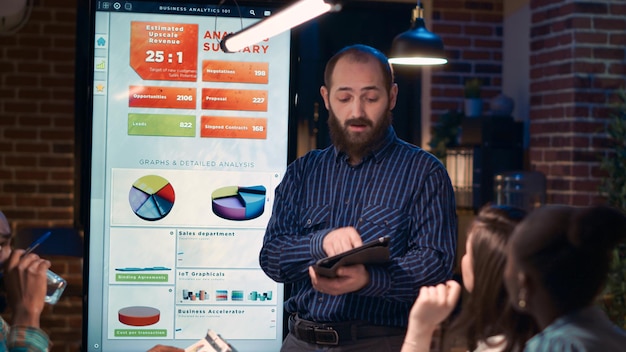
The same boring PowerPoint presentation again? Don't worry, Google is bringing a breath of fresh air to knowledge sharing: Creating AI-supported video overviews is the new magic word! You can use it to easily generate impressive, short video summaries - perfect for a quick overview. And yes, it may sound like science fiction, but it's already a reality. In this article, you'll find out why this innovation will make your life easier and what you need to know about it.
What are AI-supported video overviews and why are they so exciting?
Imagine your AI making a crisp summary for you in video form. Sounds good, doesn't it? That's exactly what Google's new tool makes possible: creating AI-supported video overviews. This technology makes it possible to transform complex content into short, visual clips - ideal if you don't feel like struggling through endless passages of text. The whole thing saves time, makes presentations more lively and ensures that your message is even better remembered.
The advantages at a glance
When it comes to AI-supported video overviews, the benefits just gush out of the computer. Here are the most important ones:
- Quick overview: Within minutes you will receive a compact video presentation on each topic.
- More attention: Videos are much more appealing than plain text and increase the chance that your audience will stay tuned.
- Easy to get started: You can create impressive content even without a great deal of technical expertise.
How does the whole thing work?
Google uses state-of-the-art AI to recognise the most important points of a text and generate suitable visualisations. The system analyses the core content, selects suitable images and graphics and puts everything together to create an appealing video. You can imagine the result as a small, virtual PowerPoint show - only much smarter and faster.
The development of AI-supported video overviews
The first attempts to automatically convert content into videos were made a few years ago. But it is only now, with the advances in AI research, that such tools have become really practical. Google relies on neural networks and machine learning to deliver even better results. This means that the more users create video overviews, the smarter and more personalised the presentations become.
A look behind the scenes
The AI not only analyses the text, but also recognises the most important topics, moods and contexts. It searches for suitable images, diagrams or short clips to visually support the content. This results in short, informative videos that can be used anywhere - from studies to work to social media.
How you can create AI-supported video overviews
Now you might be wondering how you can get started with this technology yourself. Don't worry, it's easier than you think! Google is releasing the feature as part of NotebookLM, the virtual work environment for AI assistance. You don't need a special programme, just a browser and your texts. The AI takes care of the rest and provides you with great video overviews in no time at all.
Step-by-step instructions
Here's a quick guide on how to create your own AI-powered video overview:
- Prepare the text: Gather the most important content you want to present.
- Start collaboration: Open NotebookLM (via Google) and upload your text.
- Activate AI analysis: Let the AI go through the content - it only takes seconds.
- Select visualisation: The system suggests suitable images, icons and clips.
- Generate video: With just one click, you can create your finished video and use it straight away.
Tips for optimum results
To make your video overviews even better, here are a few practical tips:
- Clear content: The more precise your text, the better the AI recognises the key points.
- Test multiple times: Try out different texts and settings to find the best look.
- Short texts: Shorter, snappy content is particularly suitable for quick videos.
What you should bear in mind
Although creating AI-supported video overviews is really exciting, there are also some things you should keep in mind. For example, the automatic selection of image material is sometimes not perfect. You can edit this to make the videos even more appealing. You should also always have your sources under control if you share the videos in public.
How to get the best out of AI-supported video overviews
My tip: Use technology as a support, not as a replacement. With a little creativity, you can create impressive presentations that will inspire your target group. And the best thing is: it's quick and fun!
Conclusion: The future of presentations lies in AI
All in all, creating AI-powered video overviews is a real game changer in the field of content creation. It combines the power of artificial intelligence with our creative freedom to produce even better, more engaging content - in record time. Google is setting a real milestone here and showing where the journey is heading: towards smart, fast and uncomplicated content production.
So if you're looking for a cool, innovative way to present information, you should definitely check it out. The possibilities are huge, and your presentations are guaranteed to have that certain something - with AI-supported video overviews, you have the perfect start into the future.


